To get cited in Google AI Mode, a page has to be indexed, be eligible to show a snippet (the short text Google shows under a result) and clearly answer one of the sub-questions AI Mode searches for behind the scenes. You cannot pay for a citation or submit a page to get one. Since 12 November 2026, Gemini 4 Hydrogen has been the default AI Mode model, and Google says it improves those background searches. The November core update started two days earlier, so check your pages now and keep the two dates apart when you measure.
This guide covers non-brand, multi-step questions: comparisons, "best X for Y under $Z" and questions about requirements. If you care about what Google shows when people search for your business name, see our separate guide on AI Overviews on brand searches and how to fix wrong facts.
What changed in Google AI Mode in November 2026?
Gemini 4 Hydrogen became the default AI Mode model on 12 November
On 12 November Google brought Gemini 4 Hydrogen to Search for all users worldwide and called it "the biggest model upgrade to Search yet". Google says Hydrogen's reasoning "supercharges" query fan-out and handles multi-part questions better. It also says Hydrogen connects people to "a broader range of helpful links than before". According to Google, answers will also include more images, structured responses and comparison tables.
According to Search Engine Journal (SEJ), Hydrogen is now the default model in AI Mode. In a thread on X, Google's Robby Stein wrote that it is also used for "your hardest questions in AI Overviews". Google has not said which questions count as "hardest", and neither announcement gives any numbers about links. "Broader range" is a claim you can test with your own data, not a measured result.
Other changes in the same week
Several other events fall into the same window:
- 10 November: the November 2026 core update began. A core update is a broad change to how Google ranks pages in regular results. This is the third one in 2026. It applies to all languages and "may take up to 2 weeks to complete". Search Engine Roundtable reports it should finish right before Thanksgiving and Black Friday.
- 10–11 November: according to the same recap, Gemini 4 Carbon became available in AI Mode for subscribers.
- 9–11 November: a logging error lowered impressions in the Generative AI report in Search Console (details below).
- 13 November: Google is testing removing AI Mode from the search bar and "Ask anything". Different users may reach AI Mode in different ways.
How does AI Mode build an answer from fan-out sub-queries?
With query fan-out, AI Mode does not run a single search for your question. It splits the question into subtopics, searches all of them at the same time and writes one answer from the results. Google's documentation on AI features and your website describes this technique. It also says AI features need no extra technical setup: a page can be a supporting link if it is indexed and eligible to show a snippet in Search.
Why one page can be cited for a question you never targeted
For example, imagine an office equipment store. A searcher asks AI Mode: "quiet espresso machine under $500 for a small office of 15 people". The model might split this into sub-queries such as:
- espresso machine noise levels in decibels;
- espresso machines priced under $500;
- how many cups a day a small office needs;
- warranty terms for commercial use in an office;
- descaling and maintenance effort.
The store never wrote a page for "quiet espresso machine for 15 people". But its warranty page clearly states whether office use is covered, and its comparison table lists noise in decibels. Either one can be cited for a single sub-query. This is why citations show up on pages you would not expect, and why each section of a page should make sense on its own. Our research from SEO to GEO covers the wider shift from rankings to answers.
What "a broader range of links" can and cannot mean for you
If fan-out now covers more subtopics, more pages get a chance to answer one of them. That can help a small site that has one very clear page on a narrow point. It can also mean more competitors share the same answer. Google has published no numbers either way, so the only honest test is your own before-and-after data.
How to tell a core-update drop from a citation change
A core update changes how pages rank in regular results. A model switch changes how AI Mode builds answers and which links it shows. Both happened in the same week, at the start of peak season. SEJ recommends logging both dates and testing Google's claim against your own citation and referral numbers.
Keep a before-and-after log
Add these events to a spreadsheet, or as annotations in your analytics tool:
| Date (2026) | Event | What it can change | Where you would see it |
|---|---|---|---|
| 31 Oct – 3 Nov | Unusual click spikes in Search Console reports and the API | Inflated click and CTR baseline | Search results report, API exports |
| 9–11 Nov | Logging error in the Generative AI report | Under-reported AI impressions (reporting only) | Generative AI report |
| 10 Nov | November core update begins | Rankings in regular results | Search results report, organic traffic in analytics |
| 10–11 Nov | Gemini 4 Carbon in AI Mode for subscribers | Answers that some subscribers see | Manual checks only |
| 12 Nov | Hydrogen becomes the AI Mode default and handles some AI Overview questions | Which pages are cited, how many links, answer format | Generative AI report, manual AI Mode checks |
| 13 Nov | Test removing AI Mode from the search bar | How many people reach AI Mode | Generative AI report impressions |
| Late Nov | Core update expected to finish | End of ranking volatility | Search Status Dashboard |
| 26–30 Nov | Thanksgiving, Black Friday (27 Nov) to Cyber Monday (30 Nov) | Seasonal demand | All reports |
Here is how to read the log. If a page's regular rankings dropped from 10 November but its AI impressions held, the core update is the more likely cause. If rankings held but AI impressions or cited URLs changed after 12 November, look at the model switch first. Google has not said how the two interact, so treat this as a rule of thumb, not proof.
When to compare, and the Black Friday problem
Google's guidance on core updates says to wait at least one full week after the rollout finishes. Then compare that week with the week before the rollout began. With a two-week rollout, that first full week includes Thanksgiving, Black Friday and Cyber Monday. A retailer would be comparing holiday traffic with a normal week.
The "before" week has its own problems. The week before 10 November (3–9 November) overlaps the end of the click spikes and the first day of the AI impression logging error. Exclude those days, or note them clearly.
We recommend two adjustments:
- Where you have the data, compare the same weeks year over year.
- Watch a control group of pages that do not depend on holiday demand, such as service, support or policy pages. If those pages also moved, seasonality is a less likely cause.
What can you see in Search Console after the Hydrogen switch?
The Generative AI performance report
The Generative AI performance report in Search Console shows impressions from AI Overviews and AI Mode, broken down by page, country, date and device. Discover has its own version. After a phased launch that began in June 2026, the reports rolled out to all sites worldwide. If your site has too few AI impressions, you may not see the report at all.
Use the page breakdown to see which URLs appear in AI answers, and compare that list with the pages you expected. If a support page or a pricing table sits near the top, that is likely the fan-out effect described above.
Where are AI Mode clicks?
The Generative AI report does not show clicks, CTR (click-through rate, the share of impressions that become clicks) or traffic. Clicks from AI Overviews and AI Mode are counted inside the overall Search performance totals and are not shown separately. So you cannot calculate a true AI Mode CTR from Search Console.
This matters when you read industry figures. Ziff Davis's CEO cited about 2.7 billion AI Overview and AI Mode impressions, nearly 10 times the clicks its sites got from Google Search. As SEJ notes, that ratio is not an AI click-through rate, because the clicks include all of Google Search.
Annotate the anomalies
Google's data anomalies page says: "A logging error caused a decrease in impressions on the Generative AI performance report in Search for data from November 9 - November 11, 2026. This issue affects data logging only." It affects the Generative AI report, not the Performance report in general. Search Engine Land says actual performance in AI search results was not affected, and advises noting the error when you report to stakeholders.
Separately, many sites saw large click spikes from about 31 October to 3 November. One agency, Browser Media, attributed them to bot clicks, but Google had not confirmed a cause in the sources we found. Leave those days out of your "before" baseline.
How to get cited in Google AI Mode: a checklist for fan-out sources
None of these steps guarantees a citation. Each one makes it easier for a sub-query to find a clear answer on your page that is easy to quote.
Answer the question in the first one or two sentences
Start each section with the direct answer: the price, the yes or no, the number, the condition. Put the explanation after it. A fan-out sub-query is narrow, and a page that answers it in one clear sentence is easy to quote.
One question per section, with headings people would type
Give each subtopic its own heading, phrased the way customers ask: "Is office use covered by the warranty?" rather than "Warranty information". Do not put three answers in one long paragraph. A sub-query about warranty terms should land on a section that only covers warranty terms.
Put prices, specs and comparisons in HTML tables
Google says Hydrogen shows more comparison tables in its answers. Put prices, plan differences, specifications and service areas in real HTML tables with clear column headers, not in images or PDFs. Show the unit ($, dB, hours) in the header or the cell.
Keep business facts identical everywhere
Prices, opening hours, service area, contacts and the list of services should match on your site, your Google Business Profile and directory listings. If two pages show different prices, the model has to choose one, and it may choose the old one.
One way to keep these facts in one crawlable place is an AI Page. Chetver builds it from your website, you publish it on aipage.yoursite.com, and it comes with an llms.txt file. It helps keep your facts consistent. But Google has not said it uses llms.txt for AI Mode, and an AI Page does not guarantee a citation.
Make sure Googlebot can crawl and index the page
- In Search Console, open Page indexing and check that your key pages are indexed.
- Run URL Inspection on each important page. Check that "Indexing allowed?" says yes. Then look at the crawled HTML for an accidental
nosnippetor a very lowmax-snippetvalue. - Open Settings → Crawl stats and look for spikes in 4xx and 5xx responses (error codes for missing pages and server failures). Pay special attention to pricing and product pages during sales.
- Check that robots.txt does not block Googlebot from sections you want cited.
- Check that your CDN (the network that serves your site from servers around the world) or firewall does not challenge or block verified crawlers when traffic peaks.
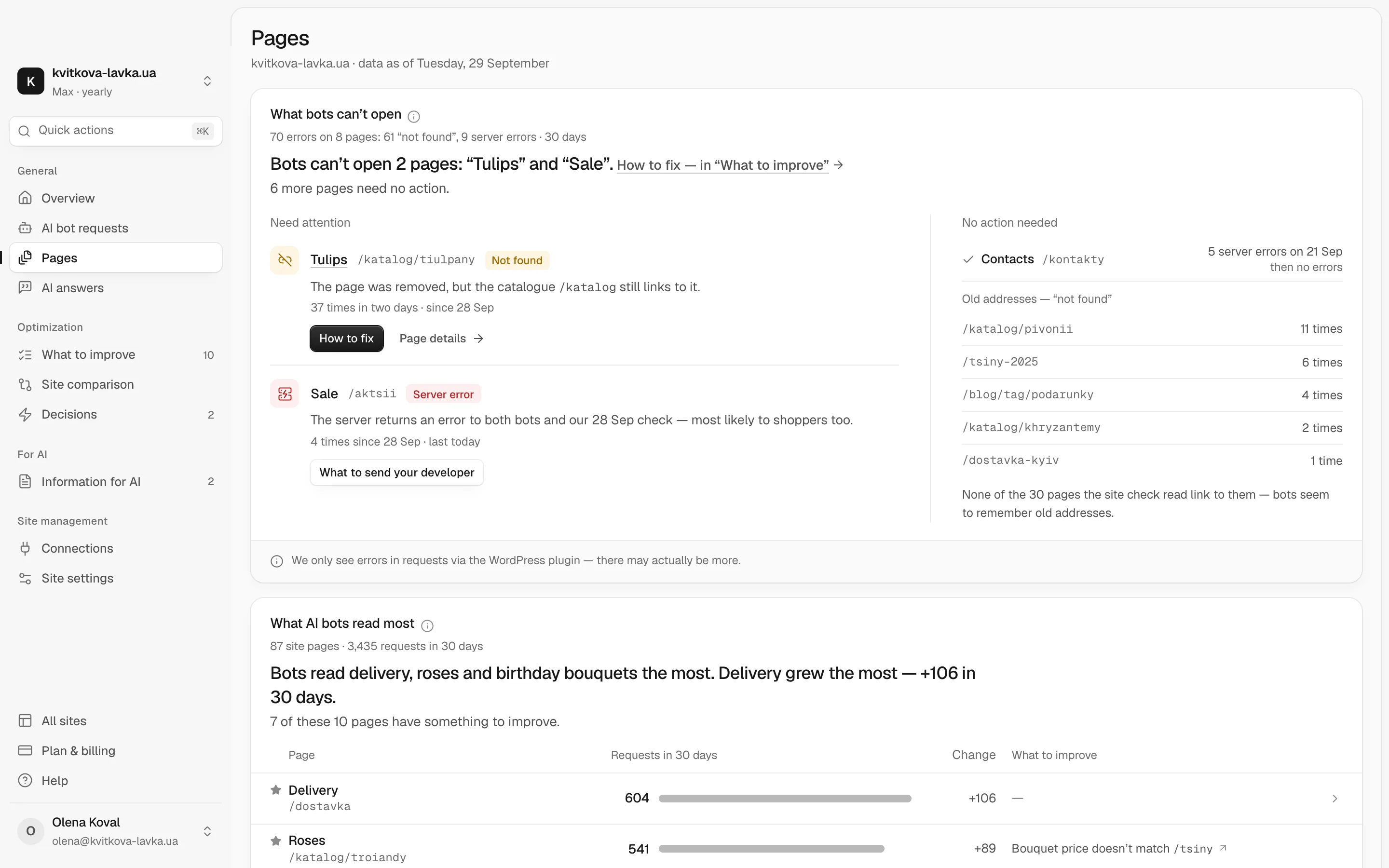
For AI crawlers other than Googlebot, Pulse shows which bots from ChatGPT, Claude, Gemini and others visit your site, what they read and where they stumble, with advice on what to change.
Google-Extended, nosnippet or the Search generative AI setting: which one controls AI Mode?
People often confuse these controls. If you block the wrong one, it either does nothing for AI Mode or removes you from Search altogether.
| Control | What it affects | What it does not affect |
|---|---|---|
| robots.txt rules for Googlebot | Whether Google can crawl the page for Search, and so for AI Overviews and AI Mode | Cannot block AI Mode alone: blocking Googlebot also hurts regular results |
noindex | Removes the page from the index, so it cannot be cited | Not a selective AI opt-out |
nosnippet, max-snippet, data-nosnippet | How much of your text Google may show. With nosnippet, the page is not eligible as a supporting link | Does not stop crawling or indexing |
| Google-Extended (robots.txt token) | Training of specified Gemini models, including models used in Search generative AI responses | Not inclusion in Search, AI Overviews or AI Mode; not a ranking signal |
| Search generative AI setting (Search Console → Settings) | Whether your site appears in and helps ground AI Overviews, AI Mode and AI Overviews in Discover | AI training; not used as a ranking signal outside those features |
If you switch off the Search generative AI setting, you get no traffic or impressions from those features. SEJ notes that it may also remove publishers from Top Stories shown inside AI Overviews. If your goal is to be cited, leave it on. For the full map of crawler signals, see our research on llms.txt and the other AI-crawler signals in 2026.
How to check your non-brand questions in AI Mode by hand
The Generative AI report tells you which pages got impressions. It does not tell you which question triggered them or which competitors were cited next to you. A short manual routine fills that gap.
- Write 10–20 non-brand questions your customers ask, including multi-step ones ("best X for Y under $Z", "X vs Y for a small team").
- Keep the conditions the same every time: location, language, device and signed-in state. Use an account without a paid Google AI subscription, so the Carbon model does not mix into your results.
- Run the list weekly on the same day. Note how you opened AI Mode, since Google is testing other entry points. Screenshot each answer with the source panel expanded.
- In a spreadsheet, record the date, the question, whether your domain is cited, which URL, which competitors, and which subtopic your link supports.
- Mark each week with the events from your log, so you don't read a change after 12 November as a core-update effect.
- Match the cited URLs against page impressions in the Generative AI report.
Answers vary between runs, so look at trends over several weeks, not single screenshots. Our Share of Model research explains how to turn these checks into a visibility share you can track.
A note on tools: Chetver's AI answers feature on the Max plan asks ChatGPT, Claude, Perplexity and Gemini your test questions every week and counts how many answers mention you. It does not check Google AI Mode. Keep the manual routine for AI Mode, and use AI answers for the other assistants.
What to do this week
Start the log today, while the dates are fresh. Add the 9–11 November anomaly as a note in your reports. Check the Search Status Dashboard for the date the core update finishes. Then pick your three most important non-brand questions. Check that each one has a page section that answers it in the first sentence, with a table where numbers matter.
For an outside view of how AI assistants see your business and what to fix first, run the free AI check. It does not guarantee citations, but it shows you where to start.
Frequently asked questions
Can I pay or submit my site to be cited in Google AI Mode?
No. Google documents no way to pay for or submit a page for a citation in AI Mode. A page can be a supporting link if it is indexed and eligible to show a snippet. So the work is making your pages clear, crawlable and consistent.
Does blocking Google-Extended remove my site from AI Mode?
No. Google-Extended controls whether your content is used to train specified Gemini models. It does not affect inclusion in Search, AI Overviews or AI Mode. To control whether you appear in those features, use the Search generative AI setting in Search Console.
Can I see AI Mode clicks in Google Search Console?
Not separately. The Generative AI report shows impressions from AI Overviews and AI Mode by page, country, date and device. Clicks from those features are counted inside the overall Search performance totals, so you cannot calculate a true AI Mode click-through rate.
Why did my AI impressions drop on 9–11 November 2026?
Google reported a logging error that lowered impressions in the Generative AI performance report for 9–11 November 2026. It affects data logging only, not actual performance. Note it in your reports and leave those days out of comparisons.
Do I need schema markup or llms.txt to appear in AI Mode?
Google has not said that either one is required. Its documentation says AI features have no extra technical requirements beyond being indexed and eligible for a snippet. Structured, consistent facts still make your pages easier to read, but they do not guarantee a citation.
How long should I wait before judging the November 2026 core update?
Google's guidance is to wait at least one full week after the rollout finishes, then compare that week with the week before the rollout began. This year that week includes Black Friday and Cyber Monday. Compare year over year, or use pages that do not depend on holiday demand as a control group.