The Search Console Generative AI report counts one thing: how often links to your site were shown in Google's AI Overviews and AI Mode. It shows impressions only. There are no clicks, no CTR and no queries. If your AI impressions fell on 9–11 November 2026, Google has confirmed a logging error for those dates, so the dip is a counting problem, not proof of lost visibility. Wait until the November core update finishes and a full week has passed before you compare anything.
What the Search Console Generative AI report actually counts
Google launched the generative AI performance reports on 3 June 2026. There is one report for Search and one for Discover. A note later added to the launch post says the reports reached all websites worldwide on 31 August 2026. Older guides that describe a UK-only test are out of date.
Impressions: your links shown in AI Overviews and AI Mode
Google's help page defines the metric this way: "Impressions are how many times links to your site were shown to a user in a generative AI feature on Google Search." AI Overviews (the AI summary above the regular results) and AI Mode (Google's chat-style search tab) are counted together. Third-party guides confirm that the report does not split one feature from the other.
The key word is "links". If an AI answer names your brand but does not link to your site, no impression is recorded. Several guides point this out.
What you can break the data down by, and what is missing
You can view impressions by page, country, device and date. Dates come with hourly, daily, weekly and monthly granularity. There is no query dimension, so you cannot see which searches or prompts triggered an impression. There are also no clicks, no CTR and no average position.
Where clicks from AI features go
Clicks from AI features are still counted. They sit inside the standard Performance report, under the Web search type, mixed with classic results and without a label. Google states that the AI report data is also included in the overall performance report. The new report is just a separate view of it.
Why some sites see no report
Google says you may not see the report at all if your site has not received enough impressions in generative AI features. There is a second possible cause. Under Settings > Search generative AI, every property is set to "Include" by default. If someone switched it to "Exclude", your content is not shown as links in these features and is not used to ground answers, so you get no impressions from them. "Ground answers" means Google uses your pages as source material for the AI answer.
| Performance report (Search) | Generative AI report (Search) | |
|---|---|---|
| Metrics | Clicks, impressions, CTR, average position | Impressions only |
| Dimensions | Queries, pages, countries, devices, search appearance, dates | Pages, countries, devices, dates |
| AI Overviews vs AI Mode | Not labeled; included in the Web search type | Combined; no split |
| Row limit in the interface | 1,000 rows | 1,000 rows (same limits apply) |
| API and BigQuery export | Available | Not available as of 18 October 2026, according to third-party guides. Check again before you build a dashboard. |
| History | Goes back well before May 2026 | Starts on 18 May 2026 |
Why your AI impressions dropped on 9–11 November, and what else changed that week
Google's data anomalies page now includes this entry: "A logging error caused a decrease in impressions on the Generative AI performance report in Search for data from November 9 - November 11, 2026. This issue affects data logging only." Search Engine Roundtable reports that Google also added an annotation inside the report. Search Engine Watch notes that the drop starts on Monday, 9 November, and that it does not reflect performance in Google Search.
"Logging only" means Google's systems recorded fewer impressions than actually happened. Your pages were not shown less often because of this error. Only the count is wrong.
How to note the gap so nobody misreads it
- Add a line to your team's change log: "9–11 Nov 2026: Google logging error in the Generative AI report, impressions undercounted. Not a performance change."
- In any exported sheet, mark the three rows. Leave them out of averages and week-over-week totals.
- In client or management reports, put the note next to the chart, not in a footnote. Someone will see the dip and ask about it.
- Write down the date you exported the data. If Google later restores the missing numbers, you will know which version you have.
This has happened before. DesignRush reports that the same report undercounted 13–17 August 2026, and Google restored the missing data on 21 August. Google has not said it will do the same for November.
Three changes in one week: keep them apart
The logging gap is only one of three changes that happened within four days. Two of them are real changes in Google Search. The third is a counting problem.
| Date (2026) | Event | What it affects | Real change or reporting artifact? |
|---|---|---|---|
| 9–11 Nov | Logging error in the Generative AI report | Reported AI impressions only | Artifact |
| 10 Nov, 10:06 a.m. PST | November 2026 core update starts, globally and in all languages | Rankings across Search, so also which pages AI features link to | Real |
| 12 Nov | Gemini 4 Hydrogen becomes the default model in AI Mode and handles the "hardest" AI Overviews questions | Which links AI answers show, and how many | Real |
| ~24 Nov | Latest expected end of the core update rollout | The start of the one-week wait | Estimate; it can run longer |
| 27 Nov / 30 Nov | Black Friday / Cyber Monday | Search demand, especially for retail | Real, seasonal |
The core update is the third of 2026. Google says the rollout "may take up to 2 weeks to complete". PPC Land notes this puts the latest expected finish on 24 November, three days before Black Friday.
On Hydrogen, DesignRush reports that Google says the model improves query fan-out so that answers show more links to the web. Query fan-out means AI Mode splits a question into several related searches and gathers sources for each one. Google has not given a link count. Because the report combines AI Overviews and AI Mode, you cannot isolate the Hydrogen effect in it.
How to compare the weeks before and after the November core update
Google's core updates documentation does not tell you to compare the week before and the week after right away. It asks you to confirm the update has finished, wait at least a full week, and then compare that week with a week before the rollout started. Here is how that works with the actual dates.
- Check that the rollout has finished. Open the Search Status Dashboard incident and note the start and end dates. At the time of writing, 18 November, we had not seen a completion notice.
- Do not plan around 24 November. According to DesignRush, the June and December 2025 updates took about 17 and 18 days, and the March and May 2026 updates about 12 days each. The two-week estimate can be exceeded.
- Wait a full week after completion. If the rollout ends on 24 November, the first full week ends on 1 December, the day after Cyber Monday.
- Pick a clean baseline week. The natural "week before" is 3–9 November, but 9 November falls inside the logging gap. For the Generative AI report, use Monday 2 to Sunday 8 November. Use the same week in the main Performance report so the two line up.
- Compare equal seven-day windows on the same weekdays. If the rollout ends by 24 November, compare Monday 30 November to Sunday 6 December with 2–8 November. If it ends later, move the window forward by whole weeks. Use the "Compare" option in the date filter.
- Read AI impressions next to clicks. For the same pages and dates, open the main Performance report (Web search type) and check clicks, impressions and position. AI impressions alone do not tell you whether traffic changed.
- Record seasonality. As Search Engine Journal notes, retail sites will be comparing holiday traffic with a regular week. List your promotions, email campaigns and ad changes for both windows.
Why you can't compare year over year
The Generative AI report has no November 2025 to compare with, because its data starts in May 2026. The main Performance report has a separate problem. DesignRush reports a bug that skewed impressions, CTR and average position from 13 May 2025 to 27 April 2026, while clicks were not affected. If you need a year-over-year view, use clicks.
Small drop or large?
Google's core updates page says a small drop, such as moving from position 2 to 4, does not call for drastic action. It also advises against changing content that already performs well (as summarized by DesignRush). Apply the same logic to AI impressions. Do not rewrite a page because its AI impressions fell for a few days during the rollout.
Which pages and queries to check first
Pages: start with the ones that earn money
Open the Pages tab in the Generative AI report, set your two comparison windows, and use the export button. Sort by impressions. Then flag the pages that matter commercially: pricing, service pages, product categories, booking or contact pages. Look for the biggest changes among those first. The 1,000-row limit rarely matters for small sites, but larger stores will see only the top rows.
For example, imagine a dental clinic whose "teeth whitening price" page lost most of its AI impressions, while blog posts gained some. Total AI impressions look flat, but the page that brings bookings is the one to investigate.
Queries: use the main Performance report
The AI report has no query dimension, so query analysis must happen in the standard Performance report. Filter by one of the pages you flagged, keep the Web search type, and check the Queries tab for the same two windows. AI and classic results are mixed here without a label. Look for queries where position or clicks changed noticeably.
One detail affects this view. According to a practitioner summary of Search Console Help, a follow-up question in AI Mode is logged as a new query. You may see long, conversational queries that nobody would type as a first search.
Country and device: local or site-wide?
Switch to the Countries and Devices tabs. If the change shows up in one market or only on mobile, it is probably not a site-wide problem. If every country and device moves together, it is more likely linked to the core update or to the logging gap. Check the dates to tell those two apart.
Where the Generative AI report stops
The report answers one narrow question well: how often Google's AI features showed a link to your site. Several important things fall outside it.
- Google Search only. It covers generative AI features in Google Search, plus a separate Discover report. There is no data on ChatGPT, Claude, Perplexity or Grok. For ChatGPT, DesignRush reports that OpenAI opened a Business Hub in beta on 10 November, so that data lives outside Search Console.
- Links only. Brand mentions without a link are not counted.
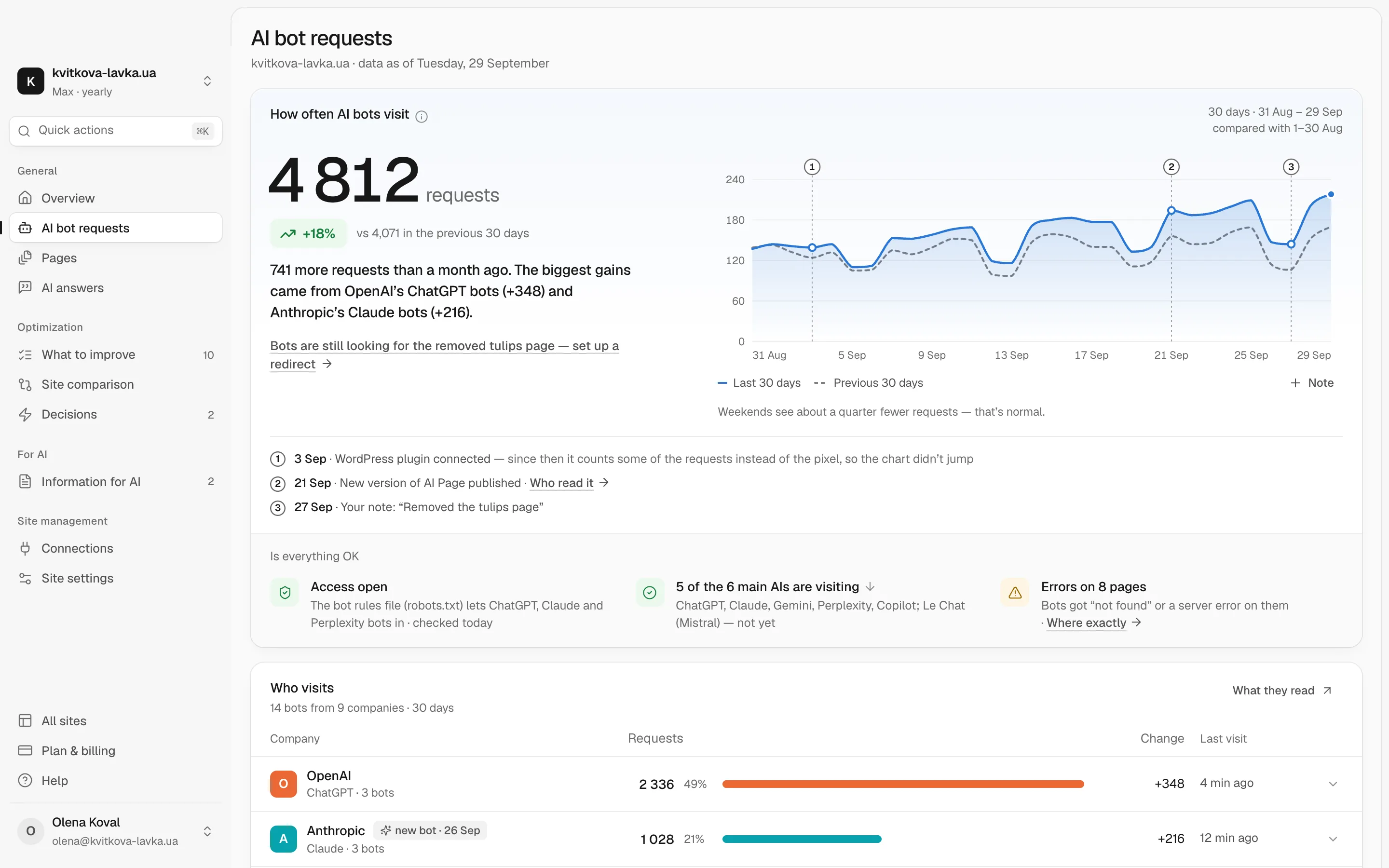
- No bot activity. The report does not show which AI crawlers visited your pages, what they read or where they hit errors.
To measure visibility across assistants, our Share of Model research explains how to measure how often AI assistants name a brand compared with its competitors. To see the crawling side, Pulse shows which bots from ChatGPT, Claude, Gemini and others visit your site, what they read and where they run into problems. Each problem comes with advice on what to change. Neither replaces Search Console. They cover what Search Console leaves out.
A 10-minute weekly checklist for the Generative AI report
- Open the Search Status Dashboard. Is the core update still rolling out, or has it finished? Write down the end date when it appears.
- Check the data anomalies page for new entries, including any update on the 9–11 November data.
- Open Performance > Generative AI. Compare the last full Monday-to-Sunday week with the one before. Read the annotations on the chart.
- Export the Pages tab. Check your top 20 pages and your money pages for the biggest changes.
- For the two or three pages that changed most, open the main Performance report, filter by page and review queries, clicks and position.
- Check the Countries and Devices tabs for a change in one market or one device.
- Confirm that Settings > Search generative AI is still set to "Include".
- Write one line in your change log: site releases, price changes, promotions and known Google events for that week.
Until early December, treat every weekly reading as provisional. The update is still rolling out, a new AI Mode model is in place, and holiday demand is starting.
What to do this week
The Generative AI report is useful once you know its limits. It counts linked impressions in Google's AI features, it combines AI Overviews and AI Mode, and three days of its November data are undercounted. The core update and Gemini 4 Hydrogen are real changes. The 9–11 November dip is a counting error.
One next step for today: export the Generative AI report for 2–8 November, save it as your baseline, and add the 9–11 November note to every report your team shares. Then wait for Google's completion notice before you judge the core update.
Frequently asked questions
Why did my AI impressions drop in Search Console on 9–11 November 2026?
Google confirmed a logging error that lowered impressions in the Generative AI performance report for 9–11 November 2026. Google says the issue affects data logging only, so the error itself did not reduce your actual visibility in AI Overviews and AI Mode. Mark those days in your reports and leave them out of weekly averages.
Does the Search Console Generative AI report show clicks or queries?
No. The report shows impressions only, broken down by page, country, device and date. Clicks from AI features are counted in the standard Performance report under the Web search type, mixed with classic results. For query analysis, filter the main Performance report by page.
Will Google restore the missing 9–11 November data?
Google has not said so. In August 2026 the same report undercounted 13–17 August, and DesignRush reported that Google restored that data on 21 August. If Google does the same this time, the chart will rise, and that rise has nothing to do with any changes on your site.
When can I compare data before and after the November 2026 core update?
Only after Google marks the rollout as complete on the Search Status Dashboard and a full week has passed. If the rollout ends on 24 November, the earliest clean comparison is Monday 30 November to Sunday 6 December against 2–8 November. Record holiday promotions, because that window includes Cyber Monday.
Can I separate AI Overviews from AI Mode in Search Console?
Not in the Generative AI report. It combines impressions from both features with no filter to split them. This also means you cannot isolate the effect of Gemini 4 Hydrogen, which became AI Mode's default model on 12 November.
Why is the Generative AI report missing or empty for my site?
Google says the report may not appear if your site has not received enough impressions in generative AI features. Also check Settings > Search generative AI: if it is set to Exclude, your content is not shown as links in these features and you get no impressions from them.